CLZ Database Management - Organization equals Optimization
CLZ (CollectorZ) a battle tested comic book organizational database. If you don't know what all you've got in your collection how do you know what you need?
DD
12/19/20258 min read
Greetings once again readers,
What's the difference between highly intelligent and lesser intelligent species? Their use of tools. Here I'm going to speak to a must have weapon in our fight against duplicates. CLZ.
FYI if anyone is reading my post's (crosses fingers), I have a TOOLS section so if you want to jump the gun and start looking into stuff I haven't written about yet, please feel free to skip ahead. All the stuff I use or reference has been listed there for quick access, which is basically the purpose of my site.
Another plug for an already stated sentiment, I owe so much of my initial knowledge to my friend who shall not be named directly (Thank you). Having a trustworthy means of tracking all of your comics in an easily sorted, researchable and identifiable repository is a huge step towards being a proper collector. I'm going to walk you though all the reasons I love CLZ and how it has helped me efficiently stay on top of my COMIC BOOK collection.
I won't dig into the whole origin story of CLZ but you can gain more insight from this short interview with its creator Alwin Hoogerdijk. The one part I will speak to from said article is about how CLZ obtained its power via the use of IBSN's to identify / track products. Yes I said product's' given CLZ can help you maintain more than just comic books but who cares about the other stuff. :)
Foundation : "The process of adding new books can’t be simpler – a user can just scan the book’s ISBN barcode or enter its title and author. The apps will instantaneously fetch the book details like cover art, author, title, etc."
So what exactly is an IBSN and how can it be so useful? I'm glad you asked because I didn't fully know either! BUT this barcode isn't as straight forward as you might think. We need to educate ourselves a bit so we know exactly what can be extracted about a comic from one small rectangle of lines and numbers.
ISBN stands for (as per the google overlords) - "International Standard Book Number. It is a unique 13-digit identifier (formerly 10 digits before 2007) assigned to every specific edition and variation of a book, such as paperback, hardcover, or e-book, allowing for efficient, global identification, sales tracking, and inventory management." Ohh that last one is super revenant right.
More so, "a comic book barcode contains the publisher, the series, the issue number, the cover, and the printing of a periodical comic. This information describes various elements of the periodical in a semantic way."
Great Reference - Comet Standard
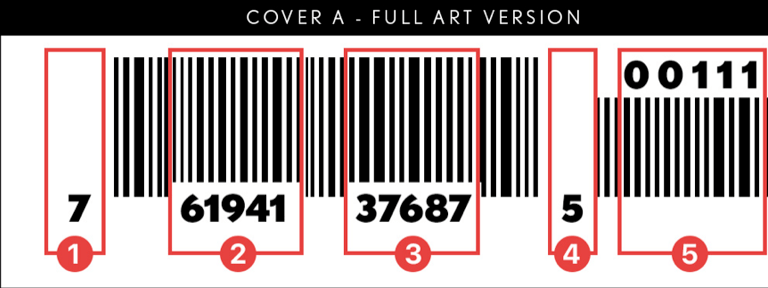
A comic book bar code has 5 primary elements which used together paint a picture as to what this product is.
Denotes a UPC approved number system. 0, 1, 6, 7 or 9 are reserved for products (5 and 9 are reserved for coupons, 2 is used for random weight items)
The next 5 numbers are the manufacturer or publisher code, this code is assigned by the UCC council to a company.
The next five digits are the product code as created and assigned by the publisher. Publishers use a unique 5 digit code for each title (or one-shot) they publish, and will use this code for all items they create with this code. This is essentially a “series code” which can be used to tie like items together.
The final single digit is a check digit, and is a math equation that the barcode reader calculates based on the first 11 digits of the UPC code. The barcode reader calculates this digit and determines that the code is valid.
The final 5 digit supplemental code allows the publisher to identify the issue, cover and printing of the periodical you hold in your hands!
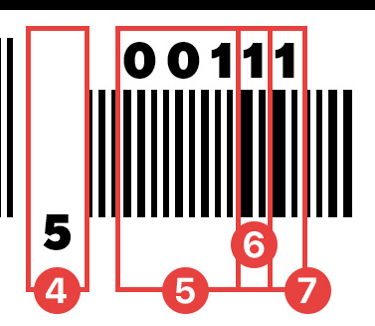
Pointing this stuff out because there's a really important aspect of the barcode you need to be able to recognize and understand. The info in section 5 above breaks down even further.
Check Digit
Issue Number represented in 3 digits (001 – 999)
Cover Number (1-9)
Printing Number (1-9)
I want to make this super straight forward, these last 3 numbers are the comic books issue, cover / variant number, then printing. So in the sample above:
5 : the 001 is issue one for that series.
6 : the different covers, 1 = A cover, 2 = B, 3 = C, 4 = maybe an incentive etc.
7 : is the printing, 1 = 1st print, 2 = 2nd print etc, caution looks like a 10th print will show a 0(zero) here so my assumption is an 11th print will show a 1 like a first print and so on? I can't find a good example atm to better scrutinize, so JIC be warned to use additional factors to confirm no mistaken identity if there's a chance said series ran reprints that far up. IE Absolute batman is on reprint 10 ATM and I'm sure DC's not done milking that cow.
Ok so we've seen what CLZ has to offer in terms of categorization and we can see how some of its magic works from behind the curtain. Let's dive into how CLZ is beneficial in our efforts to better hunt comics. One final FYI, CLZ isn't free... but once again totes worth the small fee for the utility it provides. I've been mobile only use and have no complaints to this point.
Let's begin with the ways we can get comics uploaded into our cloud hosted database. The cloud keeps a copy of all our comic entries which in turn allows us to sync up with our local device. My phone shows 1.39 GB of memory used for this app which makes me pretty confident we keep a full local copy of our collection per device. Any time you make any edits to your collection, I suggest you go ahead and use the synchronize option then pivot over and run it again from any additional devices you might use this app on. Keeping up with multiple sync's between devices (phone and tablet in my case) is my only self inflicted gripe with the whole CLZ inventory set up. If you get out of sync and perform a unique issue add or deletion on different mediums, it can update funny when you try and play synchronize catchup. Just a heads up.
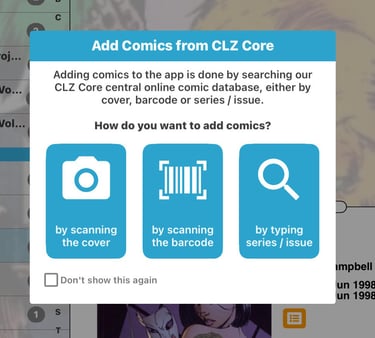
There are three main ways to ID and catalog a new issue to your collection. These options being Cover scan, Issue look up or barcode scan.
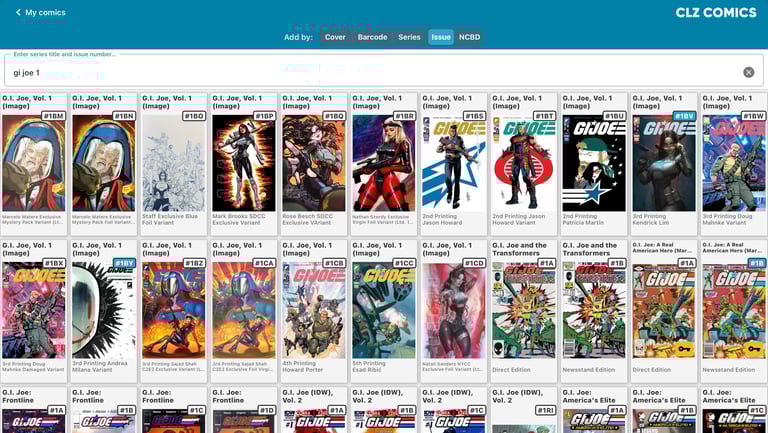
1) I typically use the hand jam method. Absolutely the prefered method if I have a bunch of issues from a similar series, I just make sure to look up by series instead of by individual issue number. Check box all the issues I'm adding and submit in one swoop. The negative side to hand jamming is getting lost in the sauce some times. For instance if I have a G.I Joe #1 and I'm not sure or I'm too lazy to specifiy the rest of the series designation I'd get back something like the following. Then let the tedious scrolling begin.
2) Barcode scanner method is much faster if the barcode is conveniently on the front of the issue. The one hinderance of the barcode scanner is its ability to get a little wonky when scanning newsstand issues. It's kind of surprising how many newsstand variants exist that aren't accounted for. When an issue isn't found it will send you to a splash page where you're expected to give a copious amount of detail. I try and take pictures of the front and back and tag it accordingly and submit those findings to the CLZ core to help them document accordingly.
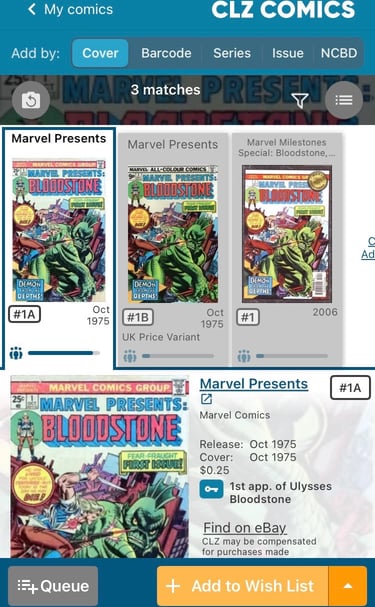
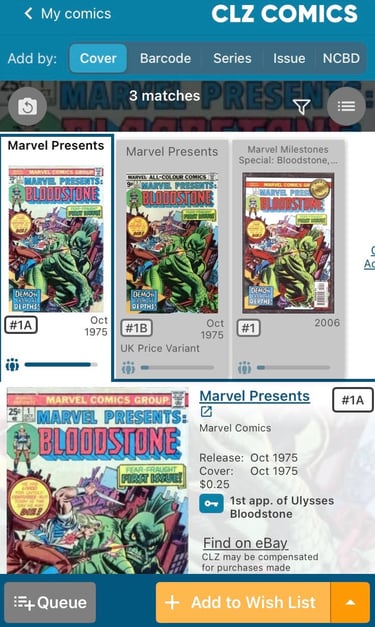
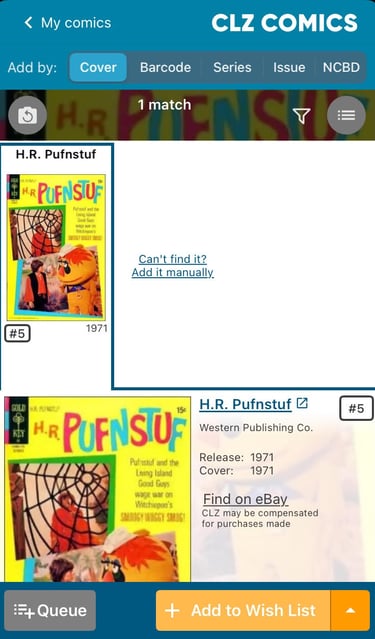
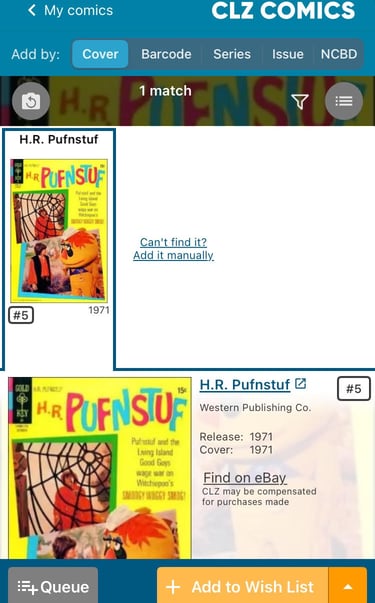
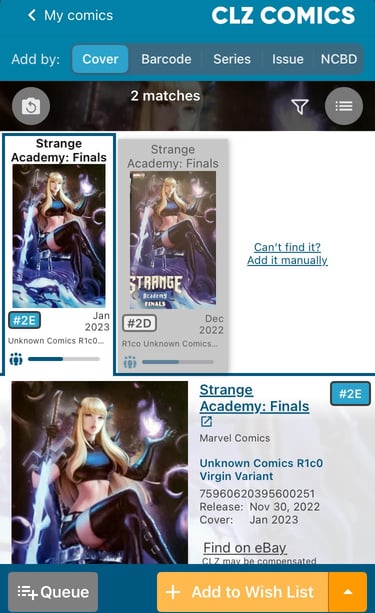
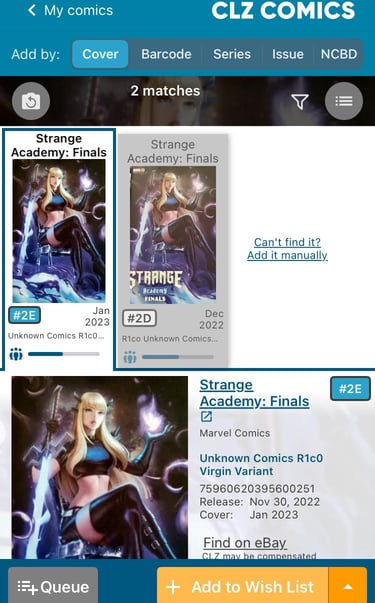
3) The cover scanner is pretty good, it can pick out a cover even if it only has a portion of the image. I took a few tests shots for your reference.
Here I deliberately took a closer snapshot of an issue to kinda represent hustling through books 'aint no body got time fa perfect zooms".
Then I tried to throw in an old nobody should know this book test, as well as a virgin var test so it had nothing to go off of wording wise. Each time no issues identifying the issue... that said nothing is ever 100%, IE Purell kills 99.99% of germs, then leaves your hands feeling soft to make up for their lack of completeness.
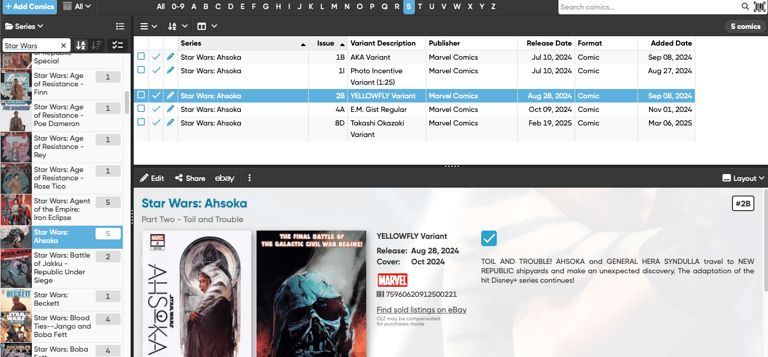
Now that we have our issues ingested we should now have a straight forward listing of our books in whatever order we've chosen to filter on. I prefer to sort by series.
From here you can pretty much play around as you please with things like, preferred sorting, custom tagging (IE tag all your signed books), prices paid, wishlist items, books you want to purge... what evs, its all there for easy manipulation.
BONUS ROUND! I'll share a couple useful ways I assist my hunting efforts using CLZ.
My favorite function is simply the issue / series look up. It's so nice being able to go in and look at a full run of a series and see every possible variant for each issue. I then change my submit option from "in collection" to "wishlist" and add them to my database. Then as I'm out looking for books at a flea market or a convention I don't get lost wondering what I'm really after. I simply pull up CLZ, change my view to only show my 'wishlist' items and search by series. If I don't have that cover pre-marked as a need/want. I can move on quickly.
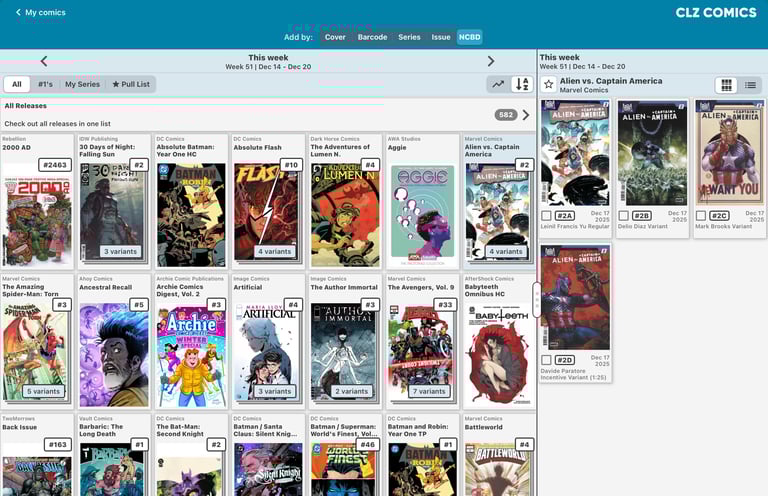
My second most used feature is the NCBD (New Comic Book Day - Wed's) option in the add new menu. This is a pretty epic view given it shows me everything coming out for the week+ before hand. As you know I use DCBS for ordering my comics in advance but some times covers get changed or don't get revealed until right before the FOC deadline. This is how I know if I need to be waiting at the door when my local shop opens to get an issue I may have missed.
I think that covers the all the bases pretty well and I think I hit my max allowed screen shot entries. SO, on that note I'll once again wish you all a Merry Christmas and I'll go ahead and throw in a Crappy New Year as well! :p
Cheers,
DD